









Ever felt a twinge in your wrist after a long day at your desk? That persistent ache or tingling might seem minor at first, but for many, it’s the early warning sign of carpal tunnel syndrome. Whether you're an office professional, remote worker, gamer, or student, wrist discomfort can derail your productivity and quality of life.
Fortunately, there's good news: a properly set up ergonomic workstation can go a long way in preventing carpal tunnel syndrome and promoting long-term comfort. In this article, we'll walk you through how to optimize your desk setup to protect your wrists, reduce strain, and work pain-free.
Understanding Carpal Tunnel Syndrome
What Is Carpal Tunnel Syndrome?
Carpal tunnel syndrome occurs when the median nerve, which runs through a narrow passage in the wrist (called the carpal tunnel), becomes compressed or irritated. This condition is commonly caused by repetitive hand and wrist movements, poor posture, or improper workstation ergonomics.
Common Symptoms
- Numbness or tingling in the thumb, index, and middle fingers
- Hand or wrist pain, especially at night
- Weakness or difficulty gripping objects
Causes and Risk Factors
While carpal tunnel can result from various health conditions like diabetes or arthritis, the most common triggers are environmental and behavioral, including:
- Repetitive typing or mouse use
- Poor wrist posture
- Forceful exertions with the hands
- Vibrating tools or equipment
- Prolonged desk time without breaks
Note: Always consult a healthcare professional if symptoms persist or worsen. This article does not replace medical advice.
The Foundation: Ergonomic Desk Setup – Step-by-Step Guide

1. Chair Adjustment
- Height: Feet should rest flat on the floor or on a footrest.
- Backrest: Lumbar support and auto-adjusting tilt are essential.
- Armrests: Keep shoulders relaxed and forearms gently supported.
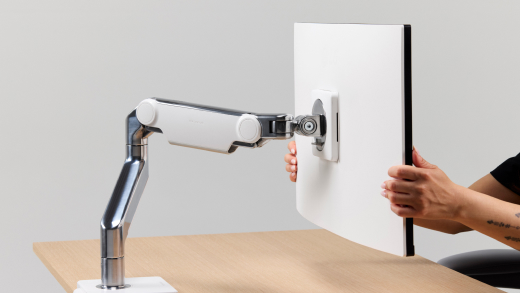
2. Monitor Placement
- Top of screen: At or just below eye level.
- Distance: About an arm’s length away.
- Angle: Slight upward tilt.
- Multi-monitor setup: Position screens to reduce neck rotation.
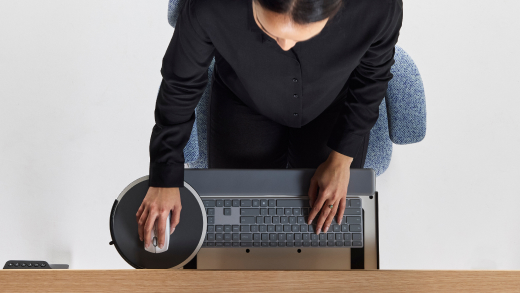
3. Keyboard and Mouse Positioning
- Keyboard: Centered and directly in front of the user.
- Ergonomic Mouse: Close to the keyboard, on the same surface.
- Wrist position: Keep wrists in a straight, neutral position.
- Consider adding a keyboard tray for optimal alignment.

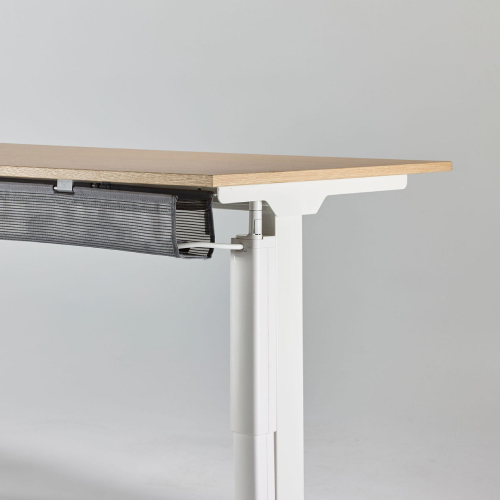
4. Desk Height
- Desk surface should allow for elbows to remain at 90-degree angles.
- For dynamic posture, alternate between sitting and standing using adjustable height standing desks.

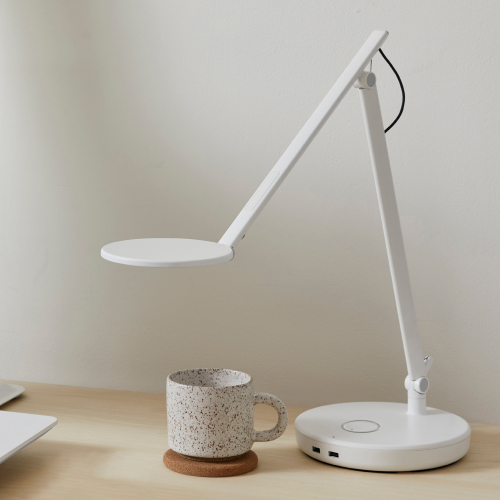
5. Lighting
- Reduce eye strain with proper lighting.
- Use office task lighting to minimize glare and improve visibility.
Ergonomic Accessories for Carpal Tunnel Prevention
Ergonomic Keyboards
- Split keyboards keep wrists in a natural position.
- Look for low-profile keys and built-in wrist rests.
Ergonomic Mice
- Vertical mice align the wrist in a handshake position, reducing strain.
- Trackball mice reduce repetitive wrist motion.
- Use mouse pads with wrist support for added comfort.
Wrist Rests
- Choose soft, supportive materials.
- Position them so wrists rest during pauses, not while typing or clicking.
Footrest
- Enhances circulation and posture.
- See Humanscale’s ergonomic foot rest.
Document Holder
- Keep documents at eye level to avoid constant neck bending.
Lifestyle and Habits to Avoid Carpal Tunnel
Take Frequent Breaks
- Stand, stretch, and rest your hands regularly.
- Follow the 20-20-20 rule: Every 20 minutes, look at something 20 feet away for 20 seconds.
Stretching Exercises
- Wrist circles, prayer stretches, and finger spreads increase flexibility and blood flow.
Typing Technique
- Avoid pounding on keys—use a light touch.
- Maintain upright posture and neutral wrists.
Elbow Pain from Sitting at a Desk
- Improper armrest height and desk height can cause elbow discomfort.
- Adjust support to reduce pressure and prevent radiating pain to the wrist.
Dealing with a Carpal Tunnel Flare-Up
If symptoms arise:
- Rest: Minimize repetitive motion.
- Ice: Apply to reduce inflammation.
- Medication: Use over-the-counter pain relievers as needed.
- Splints: Wear wrist braces, especially at night.
- Medical care: Consult a doctor if pain persists.
Conclusion
Preventing carpal tunnel syndrome doesn’t require a complete workspace overhaul—just a few intentional adjustments. By setting up your workstation ergonomically, maintaining good posture, taking breaks, and using the right accessories, you can protect your wrists and maintain your productivity.
Ready to make a change? Start implementing these tips today. Share this guide with colleagues or friends who might benefit—and if you’re experiencing persistent discomfort, don’t wait to speak to a healthcare professional.